
In langify, go to Online Store > Theme > Section to translate your store’s homepage.
The SEO title and description of your store are not part of the Theme section. You can translate them separately under General > Shop > Title and meta description.
The Theme section contains two types of texts:
- Content from the theme editor — texts you have added via the Shopify Theme Customizer. These require manual attention.
- Theme locale files — theme-provided texts like the checkout, search, cart, and login pages. For common languages, Shopify prepopulates these translations automatically.
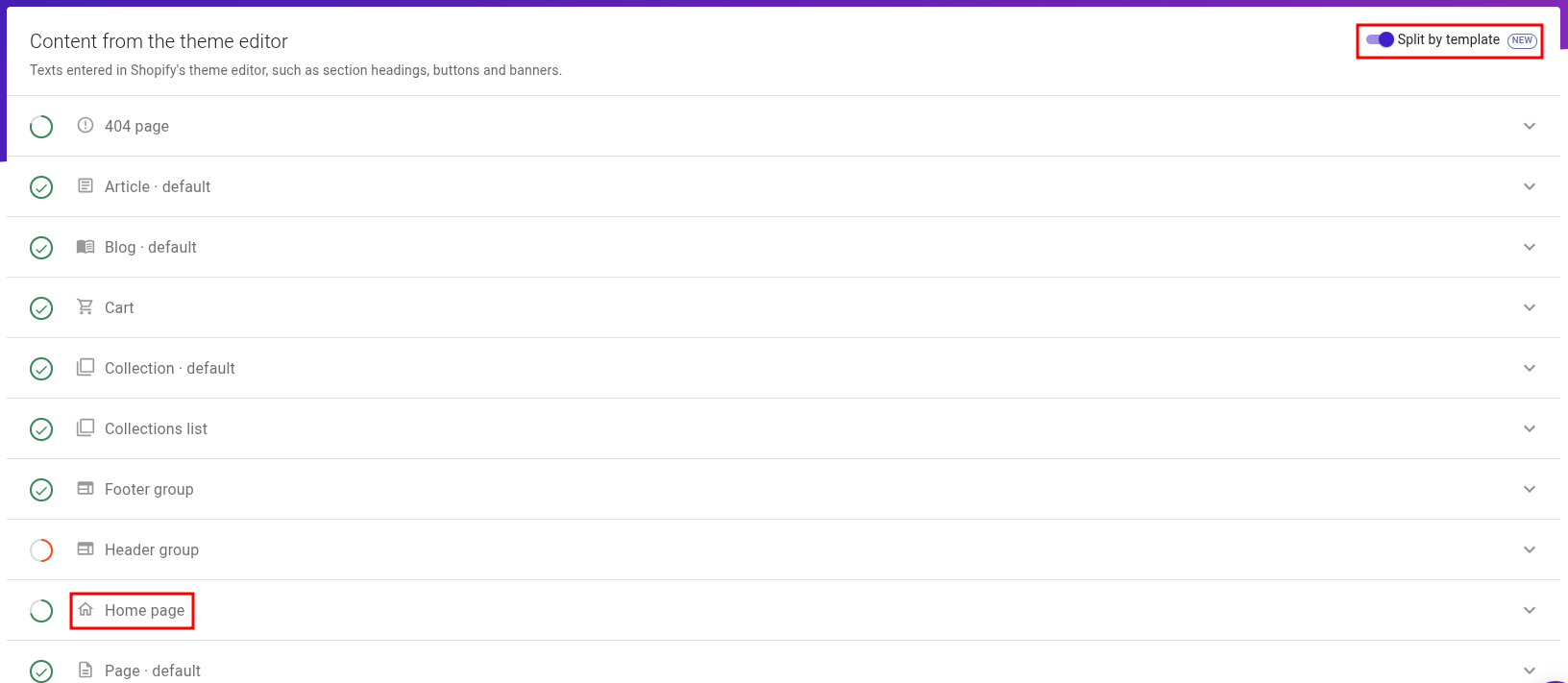
If you want to view only the texts of the homepage, you can use the Split by template option. Afterwards, you can find them under Homepage:
Using the machine-translation button while a search filter is applied will apply machine translation only to the search results.
Troubleshooting
I've switched to a new theme and now my homepage translations have disappeared.
Note that the translations of the Theme Section are specific to one theme. If you have switched to a new, untranslated theme, you can migrate the translations as explained in our guide What needs to be migrated when switching to a new theme?
The texts of my homepage do not appear in the Theme section.
If you cannot find the texts of your homepage in the Theme section, you might have used a page builder app like PageFly or GemPages to create the content. The texts of page builder apps can be translated by using Custom Content.
I've removed a text via the Shopify Theme Customizer, but the translation still remains.
Unfortunately, Shopify sometimes retains elements as empty fields even when the text is removed. Therefore, since the field still exists, the translation is not removed automatically and remains visible in your store front.
Langify hides empty fields so as not to clutter the Theme section, which is why unfortunately you won't be able to find the translation in order to delete it.
In order to fix this, please follow these steps:
- Go back to your Shopify Theme Customizer, and temporarily re-add the deleted content.
- Find the outdated translation in the langify Theme section and remove it.
- You can now go back to the Shopify Theme Customizer and remove the text.
Alternatively, please contact our support at support@langify-app.com and we can change your langify app settings so it always shows empty fields.