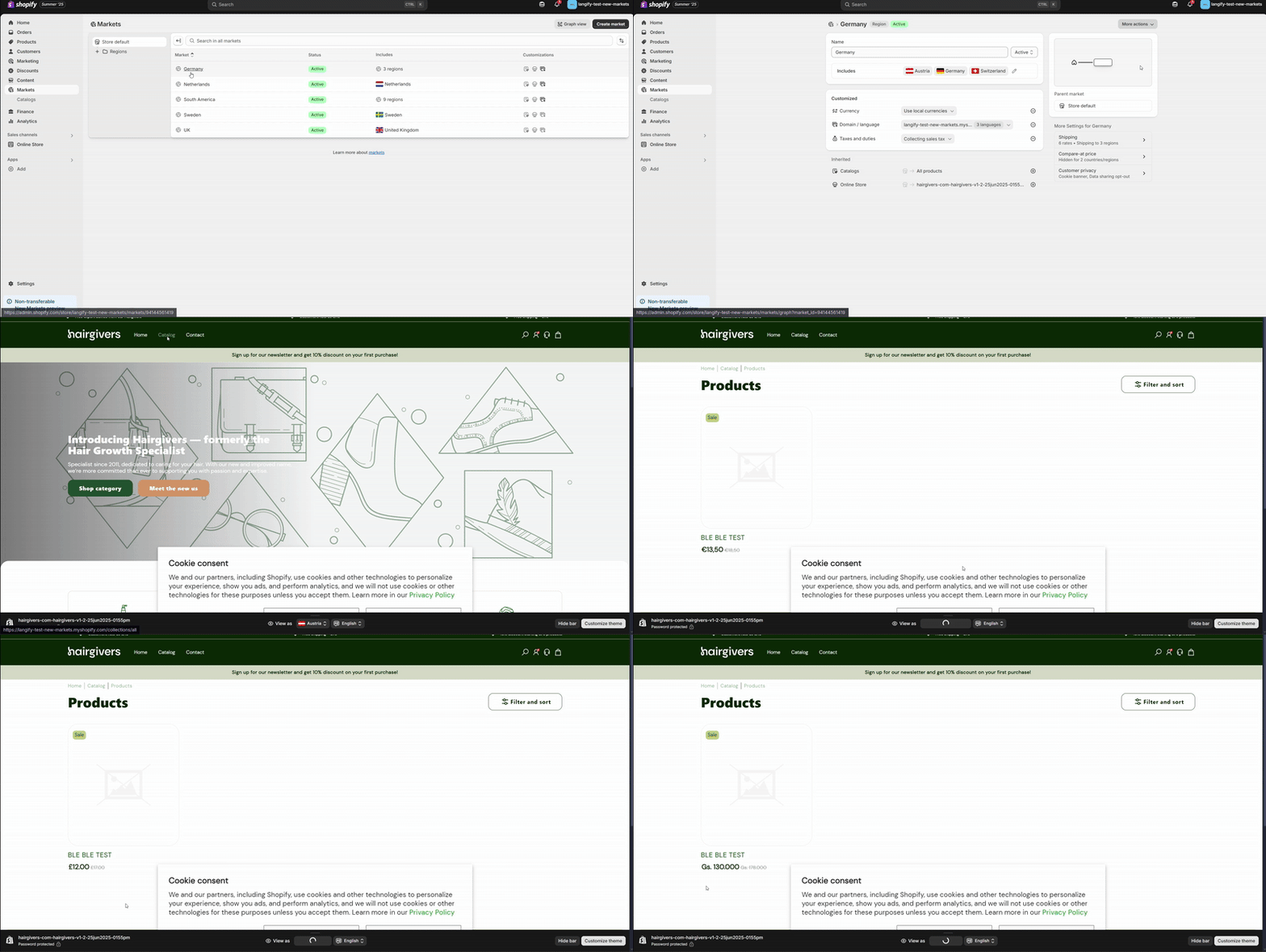
As of July 1, 2025, Shopify has fully migrated stores to the new Markets framework (API 2025-04+) with some key changes to how Markets are set up, managed & translated. For the official Shopify documentation on Markets, see Shopify Help Center — Markets.
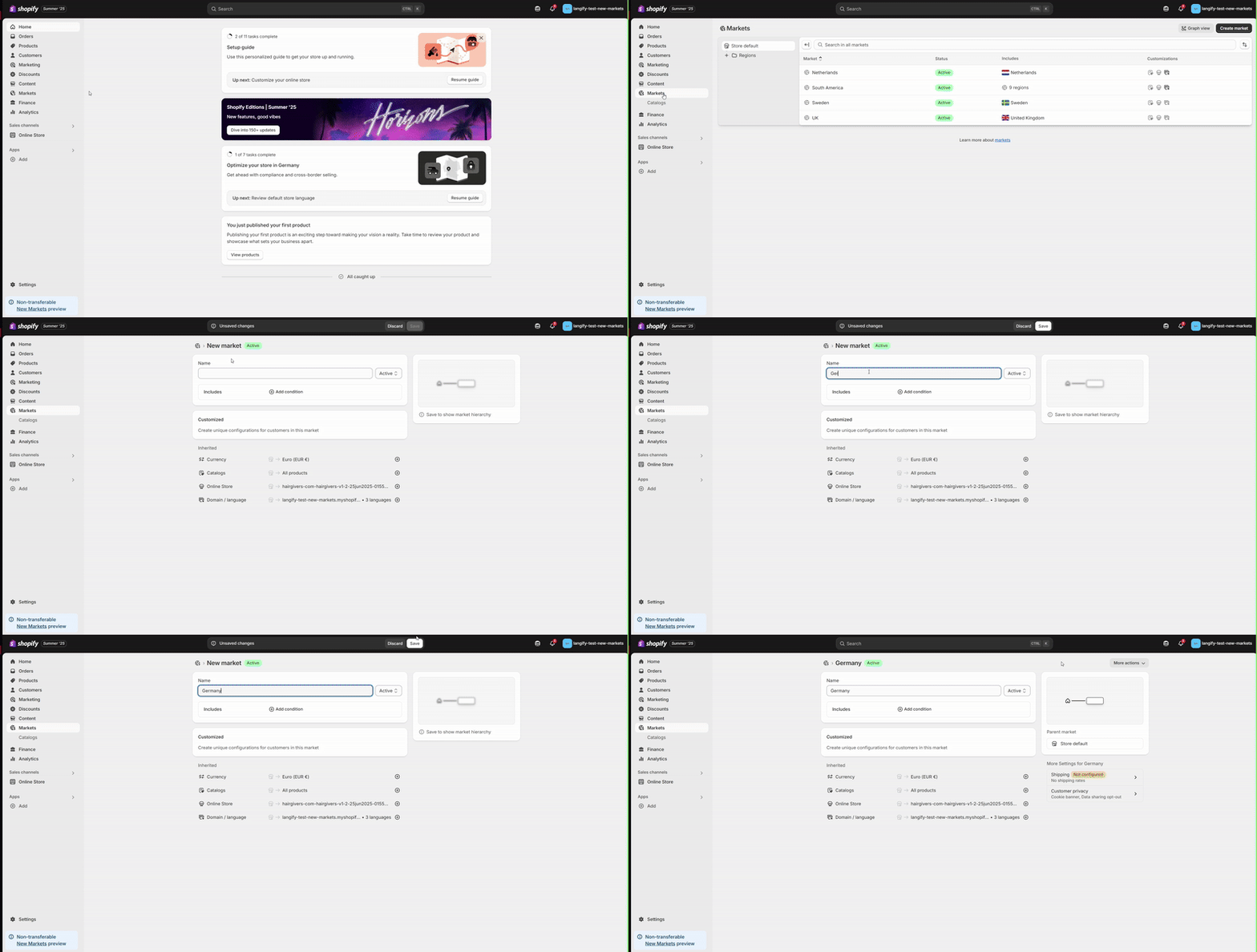
Adding New Markets
- Go to Markets
- Click "Add Market" and name it (e.g., Europe, Asia, or by specific country)
- Click Save
Assigning Regions to Markets
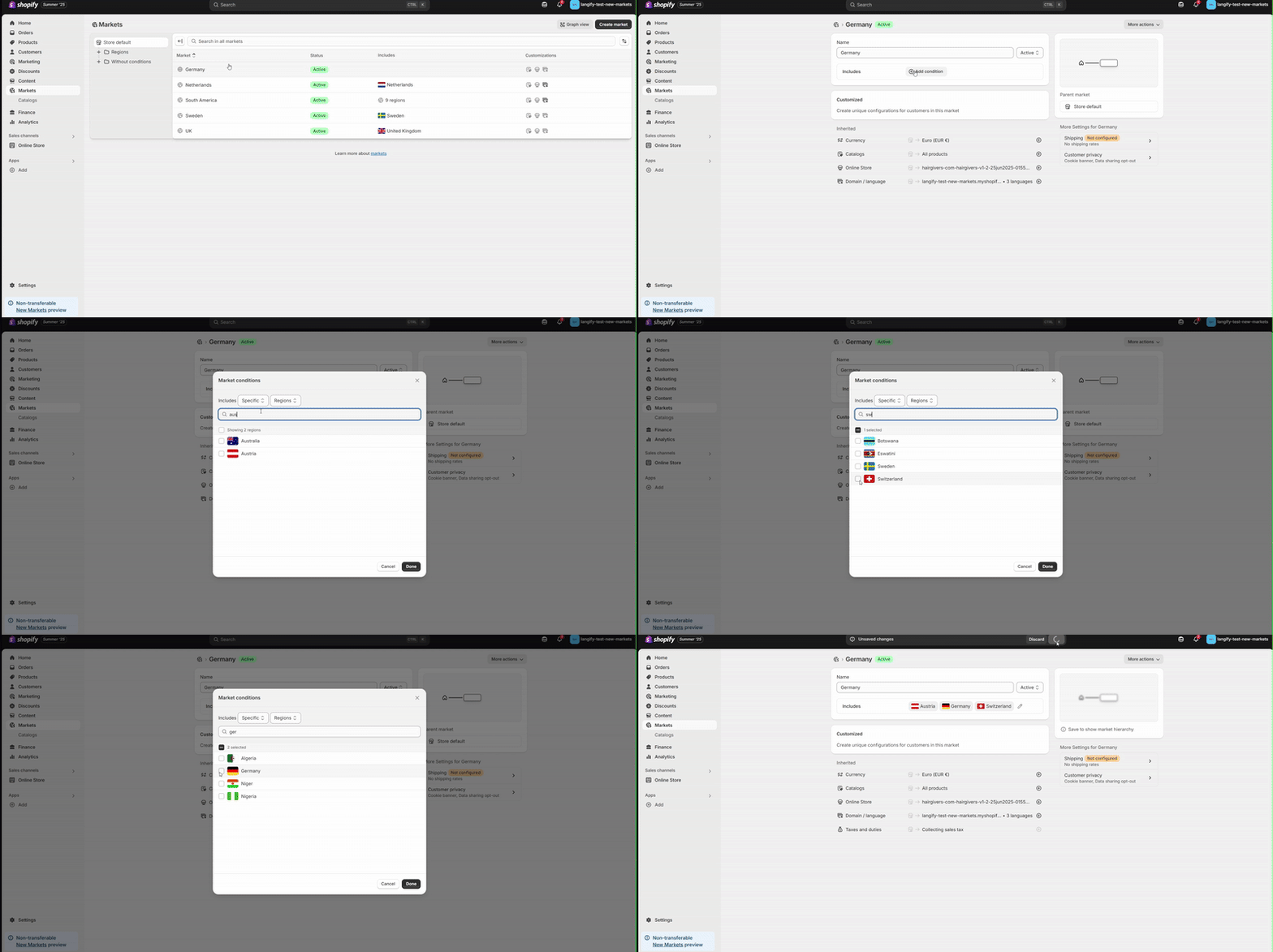
You can expand existing Markets by adding more regions:
- Click into an existing Market from the list
- Click "Add condition" under Includes
- Select all regions for the market
- Click Save
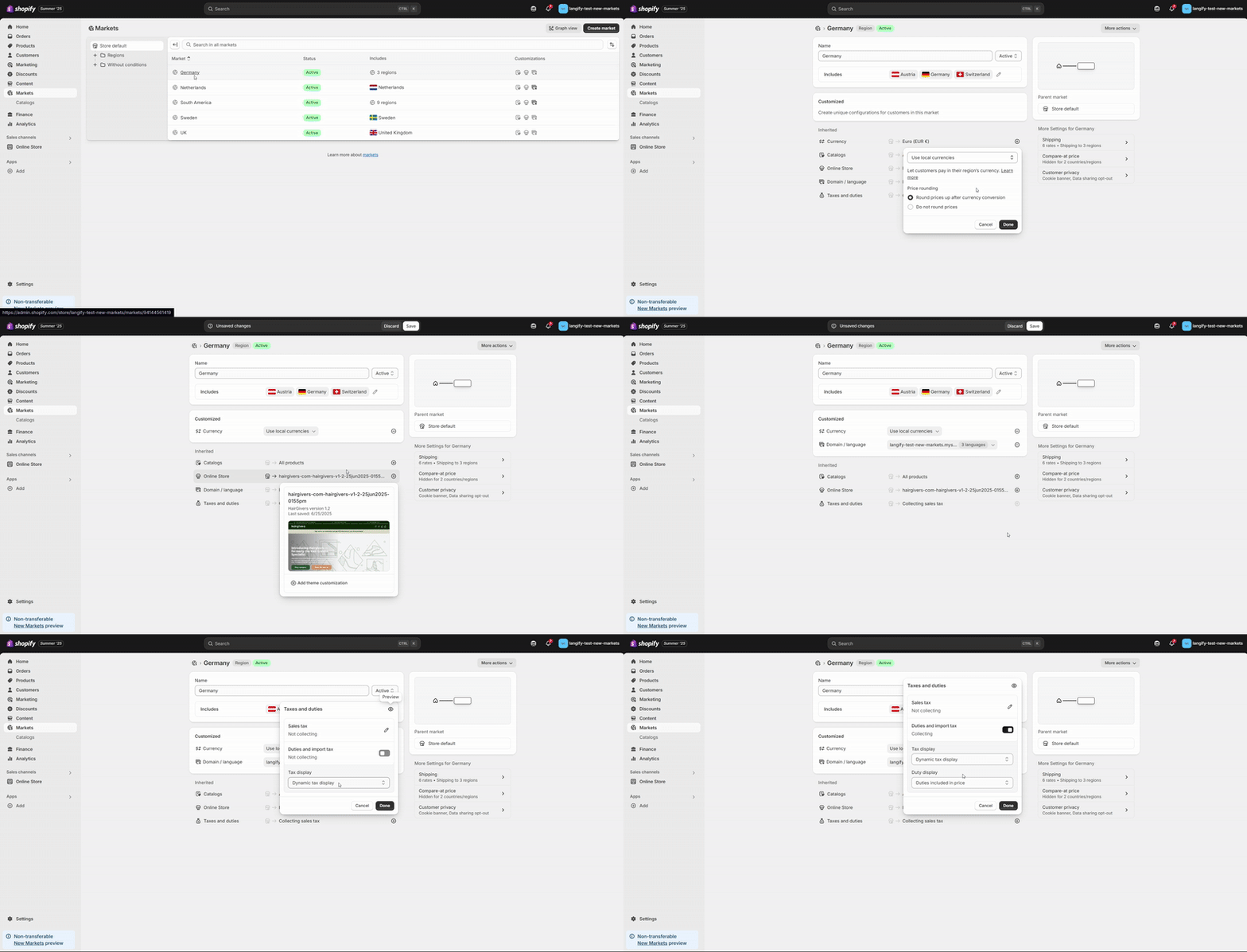
Tailoring Each Market
- Set language(s) for the region
- Choose a domain or subdomain (e.g., .de for Germany)
- Adjust pricing rules — including rounding or local discounts
- Set payment methods, shipping options, and duties
Explore the New Graph View
The Summer '25 update includes a visual Market Graph, helping you understand:
- Which domains serve which markets
- How languages, currencies, and regions relate
- Conflict detection for overlapping rules
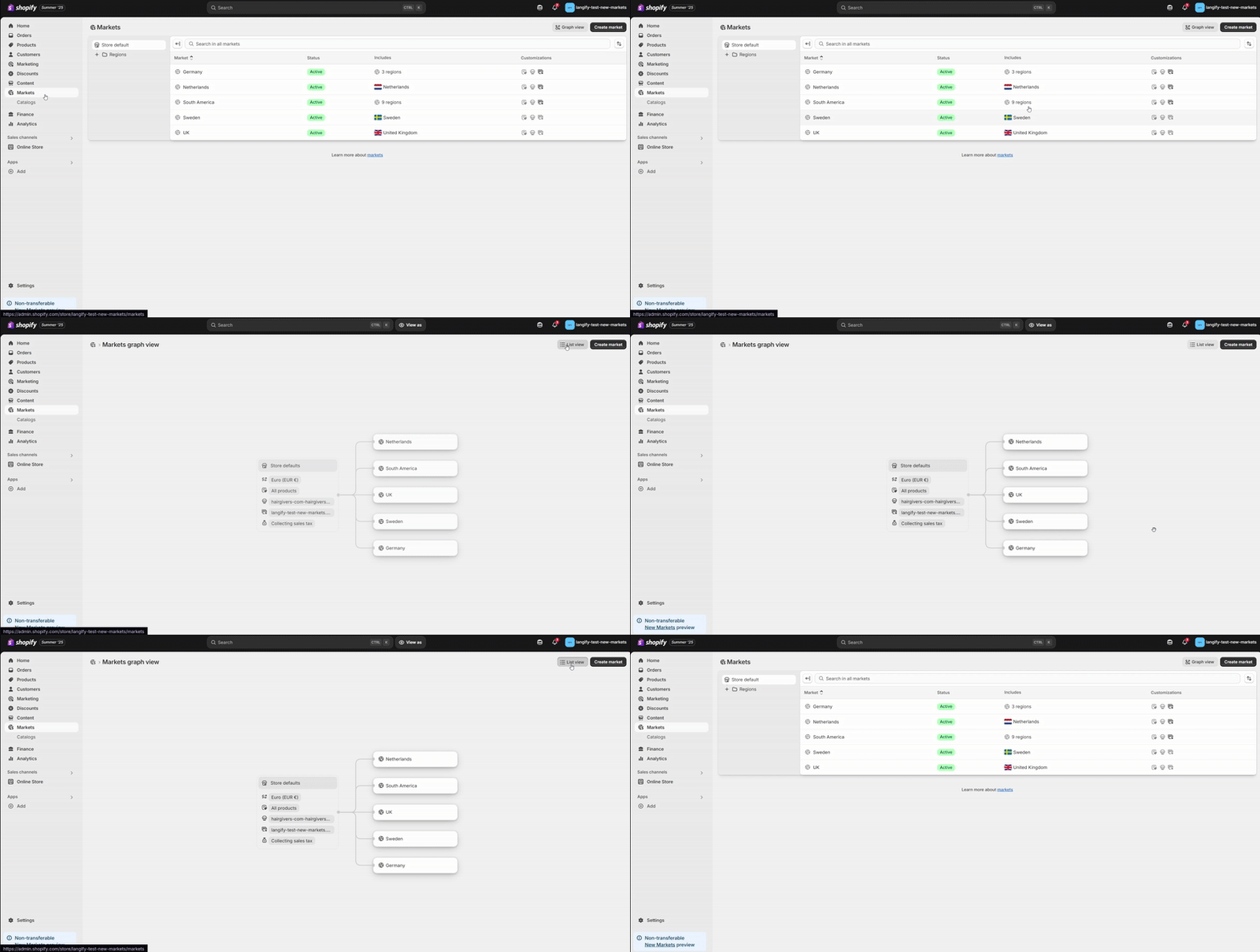
You will find this under Markets Overview — click "Graph View" to explore its structure in real time.
View Your Store by Market
After configuring your settings:
- Click "View Online Store" from the Market setup screen
- Preview your store as a visitor from a specific country or region
- Check language, currency, pricing, and layout