
You can add and customize the country and currency switcher via the Switcher Configurator on the langify dashboard.
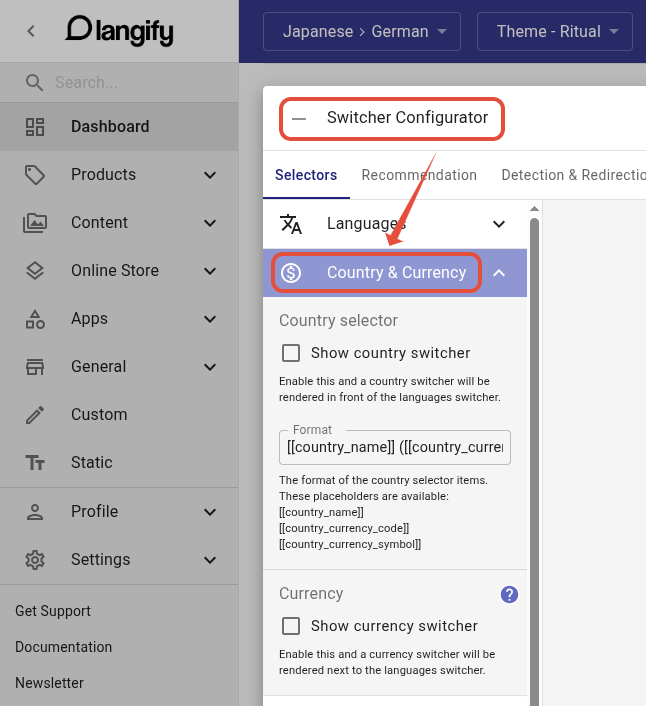
Country Switcher
The country switcher will display a range of options based on the countries set up in your Shopify Markets settings.
You can configure how the country options are displayed within the switcher in further detail via the Format field.
Currency Switcher
The currency switcher mirrors your Shopify Payments setup. It lists the currencies you’ve enabled in Shopify Payments and relies on Shopify’s multi-currency to do the switching - langify doesn’t perform currency conversion itself. This works only if Shopify Payments multi-currency is enabled and your store sells in multiple currencies.
Issues related to prices and currency conversion need to be addressed with the Shopify support directly.
If you cannot use Shopify Payment because it is not available for your country, then please have a look at a third-party app for currencies, for example Geolizr. Such currency apps usually have their own currency switchers.
Note that if the currencies are managed via a third-party app, the currency will revert to your store currency during the checkout process.