
Out of the box, the langify language switcher will only show the languages assigned to the currently viewed market. This is also the default behavior of all language switchers that might come with your theme.
If you have spread your languages across different markets in the Shopify Market settings, and want your customers to easily switch between languages, you can use the Market Domains option inside the langify Switcher Configurator.
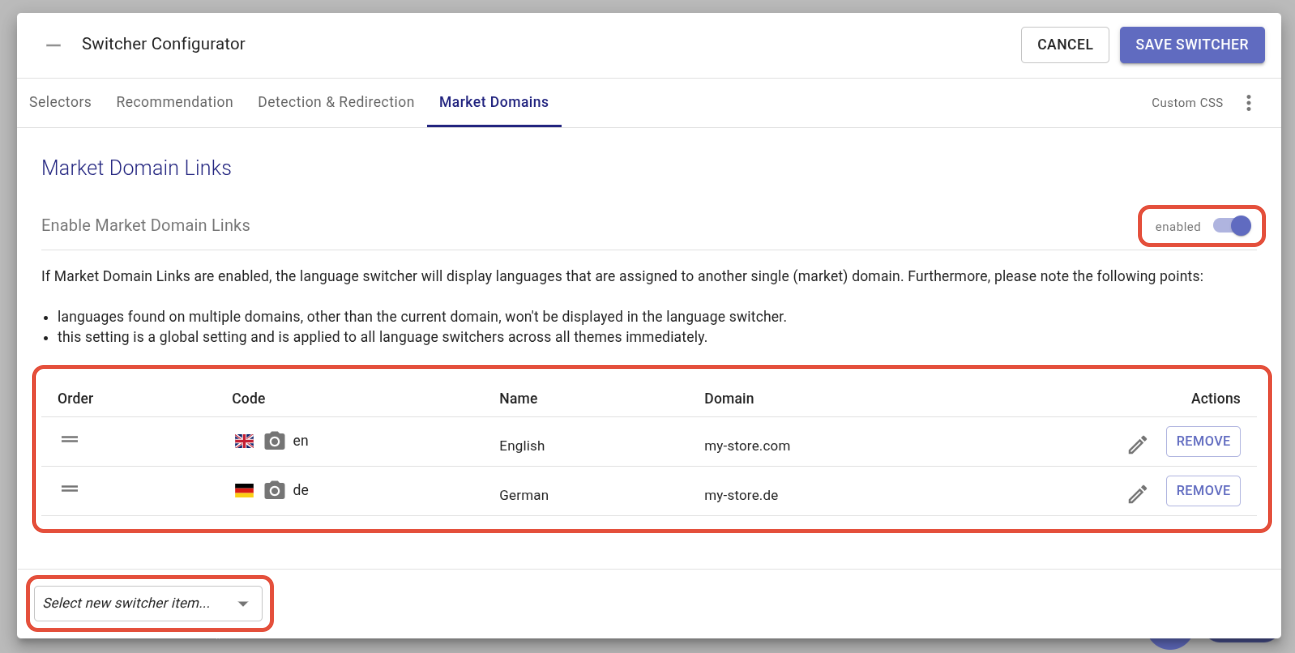
First, enable the Market Domain Links via the slider on the far right. Then, add your language options and enter the domain.
You can add any kind of links, even external links via the option Select new switcher item... in the lower left corner.
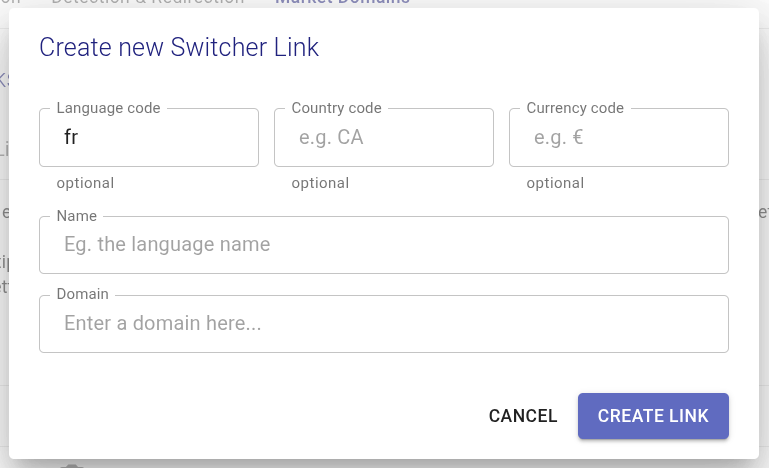
When you add a new language you will get a popup where you can enter the name of the language that the switcher will display, and the domain where it will lead to. Optionally, you can also add a language and country ISO code, or a currency.
After the switcher item has been created, you can still edit its name or domain by clicking on the pencil icon on the right.
You can also upload a custom image for the switcher item by clicking on the camera icon on the left.