An image’s alt text describes what the image shows. Screen readers read it out to visitors who cannot see the image, browsers show it when the image fails to load, and search engines use it to understand the picture, so a translated alt text matters for accessibility and SEO in every language of your store.
Products, Collections and Articles
The alt texts of images on products, collections and blog articles are translated directly in their sections now, using Shopify’s native translation. Open a product, collection or article in langify and expand its Images tab: If an image has an alt text it will appear as a new field beneath it:

Because these translations go through Shopify, they need neither the Custom section nor the langify Polyfill code. The steps below are only needed for images in other sections, for example theme images.
Other Sections
Other image alt texts can be translated using langify's Custom section. If you haven't worked with Custom Content translations before, please have a quick look at our Custom Content Translations guide.
Make sure you have also added the langify Polyfill code to your theme — without it, the translations will not appear on your storefront.
If the translation is still not showing, the issue may be caused by extra whitespace in the original alt text. You can check and edit your image alt texts under Shopify > Content > Files, making sure there are no leading, trailing or doubled spaces.
Adding image alt translation for all images via the native Shopify system — as it is already available for products, collections and articles — is on our to-do list and will be available in the future.
Special Case — Image within Description
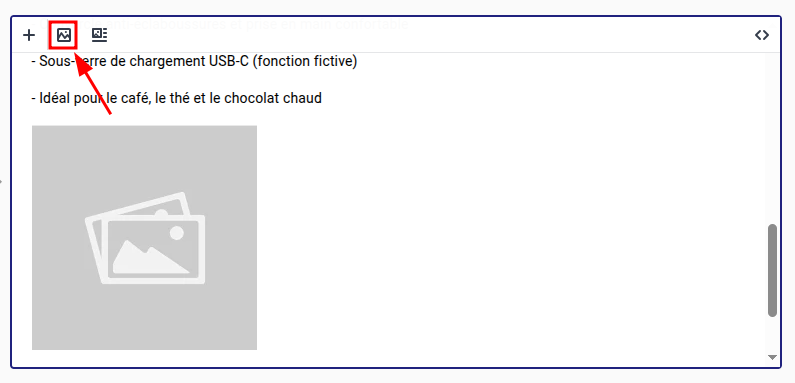
If you’ve added an image within a description text, you can add or edit that image’s alt text directly in the rich text editor. To do this, first click the image itself, then click the first option in the toolbar:
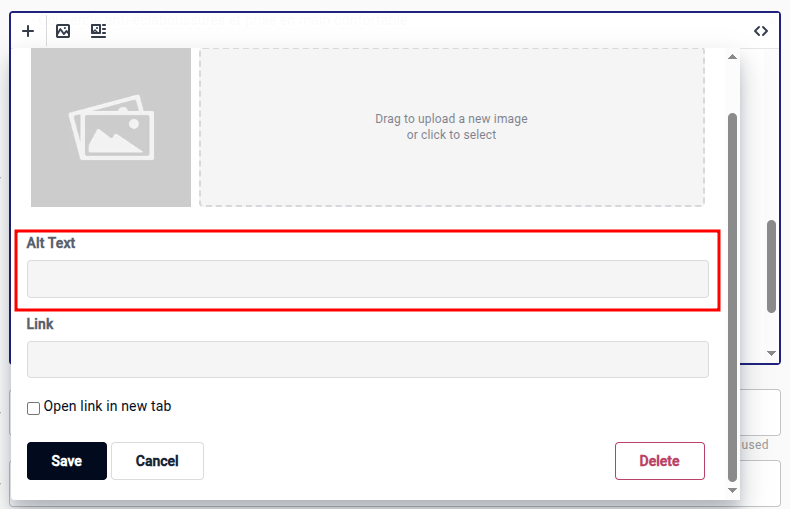
This will open a settings window, where you can enter an alt text for that image: