
In the Texts section of the Switcher Configurator you can manage the texts of the langify switcher. This includes both visible texts and texts relevant for screen readers and accessibility.
You will find a tab for each language, including your base language, where you can edit the texts. If there is no custom translation, the default is English.
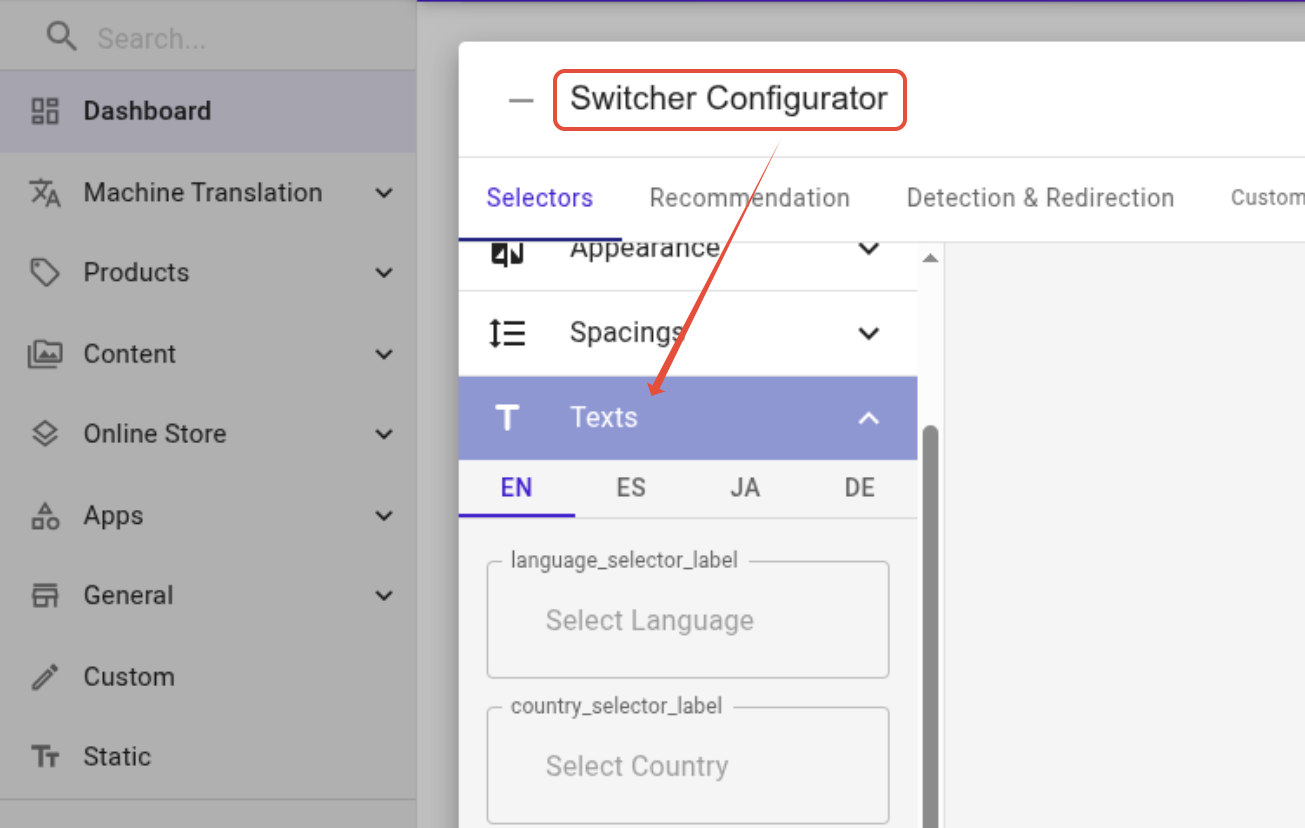
Where the Texts Appear
Visible Text
The first four fields are visible texts, depending on your switcher setup.
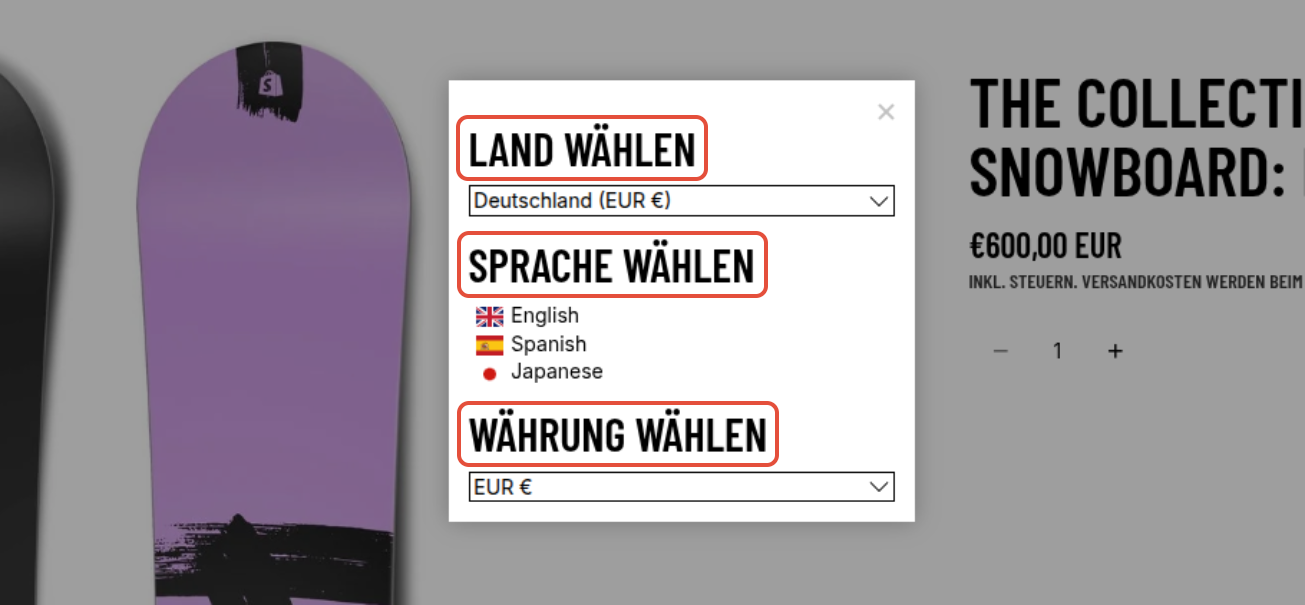
language_selector_label, country_selector_label and currency_selector_label can appear as visible text on a popup switcher:
The button text appears if the option "Use a submit button in order to change language" is enabled in the Languages tab of the Switcher Configurator.

Not Visible Texts
The other texts aria_close_label, aria_selected_language, aria_selected_country, aria_selected_currency and aria_popup_label are aria-label texts. That means they only appear within the HTML where they are picked up by screen readers.

The Language Recommendation banner also has its own texts that can be translated at Switcher Configurator > Recommendation > Texts.
Accessibility
Translating the switcher's text matters because screen reader users actually hear labels like "Selected language" read aloud — if that text stays untranslated, visitors using assistive technology won't get the same experience as everyone else browsing your store in their own language.
The switcher is generally optimized for accessibility: it works well with screen readers, supports keyboard-only navigation, and hides unnecessary decorative elements from assistive technology.
Apart from improving usability, accessibility features like these can also help merchants stay compliant with legal requirements, since several regions now have laws requiring e-commerce websites to be accessible to people with disabilities. You can read more about this in the European Commission's web accessibility page.