
You can translate your product content in langify's Product section. Some of the sections you will find here are global, while others refer to the individual products only.
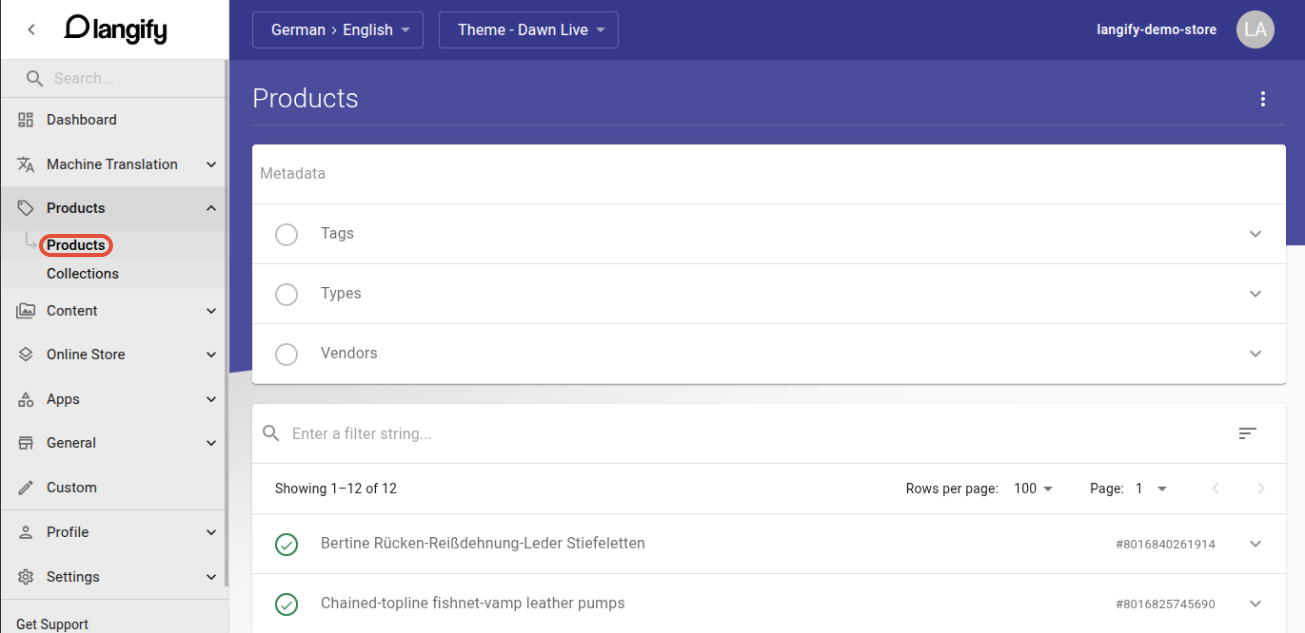
Products
The product-specific translations can be found when you open a product. Here you can translate the following:
- Title and Description — You can translate the title and description of your product. The description field features a rich-text editor. You can also view the HTML directly by clicking on the "<>" icon within the editor's toolbar.
- Type — Here you can enter a translation for a product type. This translation is applied to this product only, even if the same type appears on multiple products. For more information on product type translation, please check our guide Product Type Translations.
- Handle — This can translate the URL slug of your product. For more information, please view our guide Handle Translations.
- SEO Title and Description — The SEO translations are automatically generated based on the title and description of the product.
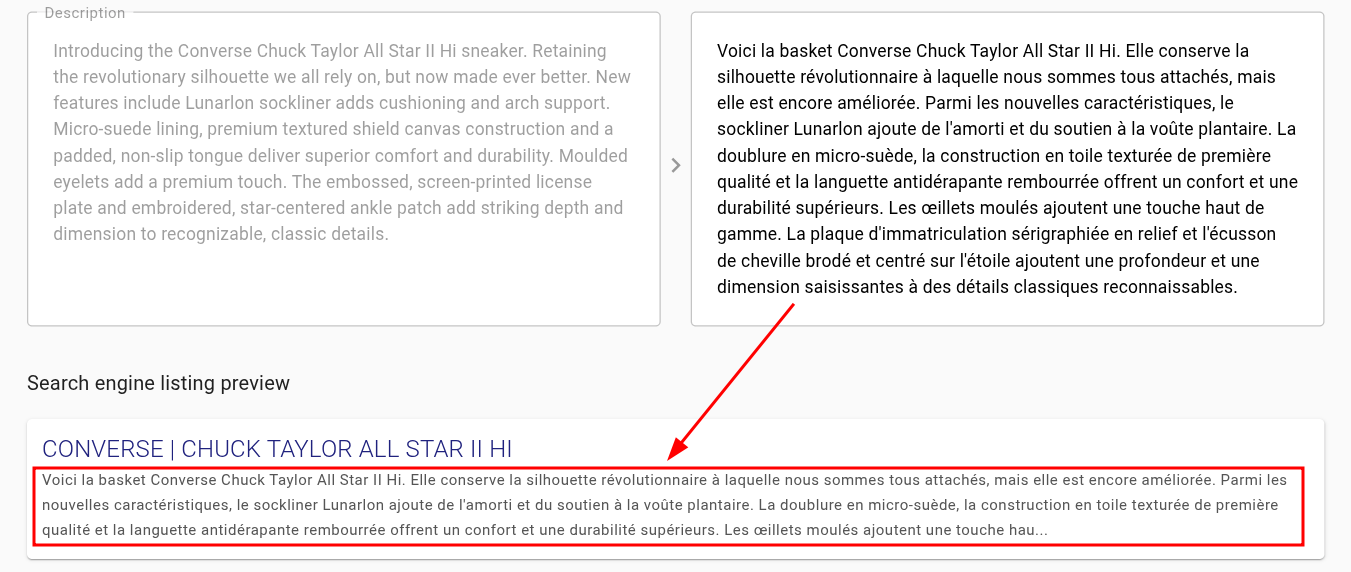
If you have customized your product's SEO title and description in your Shopify admin area, then the translation is not automatically generated and is it necessary to manage it separately.
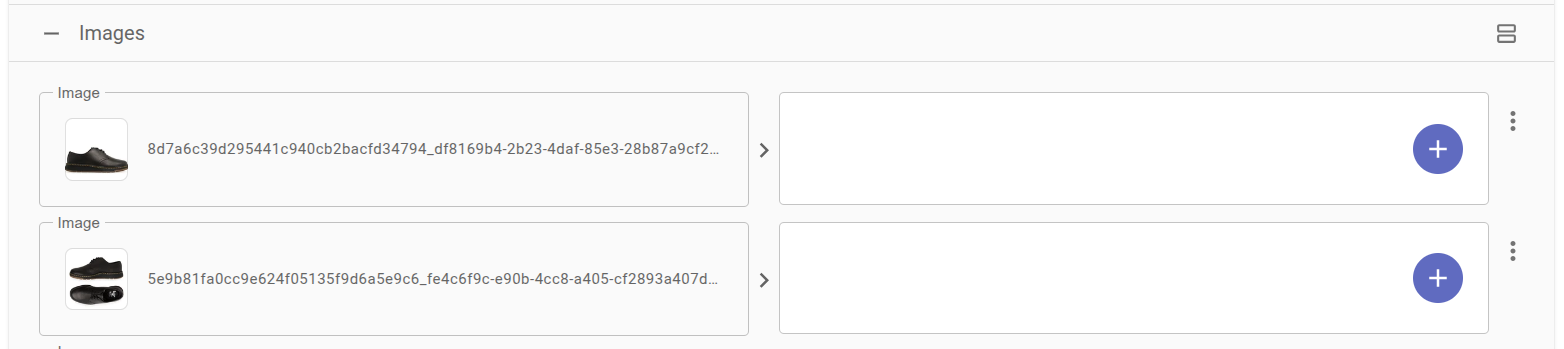
- Images — Here you can translate your product images. For further information, please check our Image Translations guide.
- Option Names — These are the titles of your options - like "colour", "size" etc.
- Metafields — You can find the metafields attached to your product here. Please be careful when translating your metafields, as many third-party apps use metafields to store settings. These should remain untranslated.
- Variants — Here you can find your product variants like "green", "yellow", "S", "M" etc. These variant translations are only applied to this product, even if the same variants appear on other products too.

Use Shopify category metafields or metaobjects to manage global variants that you only have to translate once.
- Variant Metafields — These are the metafields attached to the variants of your product.
- Custom — Here you can add Custom Content translations for content that is not supported for translations out of the box. These translations are only applied to this specific product.
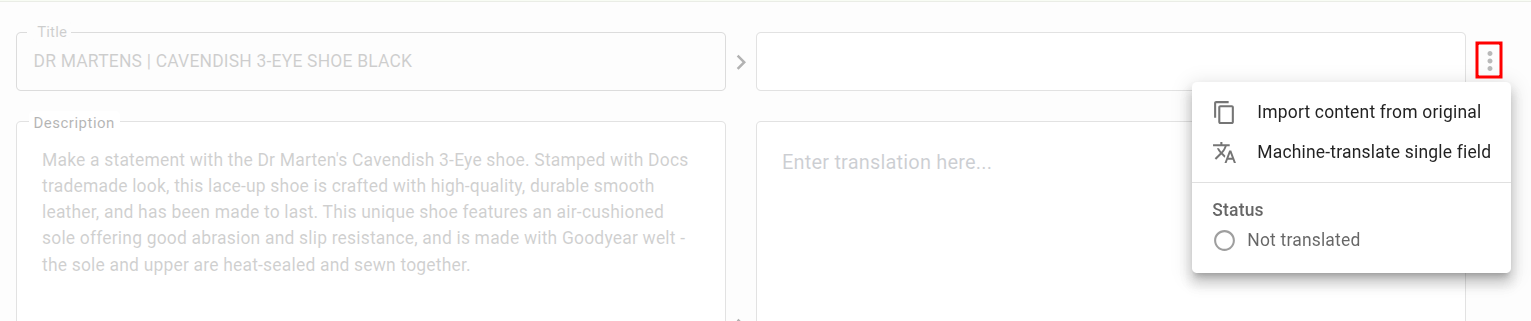
On the right of any translation field you will find a three-dot icon. This opens a menu with the additional options Import content from original and Machine-translate single field.
Metadata
The global Metadata sections can be found at the top of the Product section. These are the product tags, types and vendors.
- Tags — In order to apply these translations to your storefront, please add the langify Polyfyill code to your theme code.
- Types — enable the Product Type Javascript Translation option in the langify Settings to apply these translations.
If you have added a type translation on your individual product, then that translation will take precedence and the global translation will be ignored. See our guide Product Type Translations for more information.
When translating your vendors, please keep in mind that vendors might actually prefer to remain untranslated in order to have a consistent international branding.
Troubleshooting
Outdated translation on a duplicated product
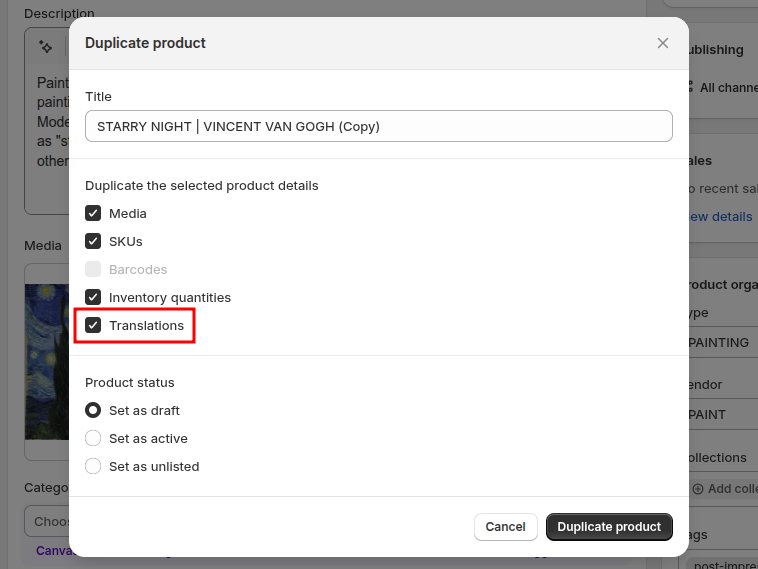
If you create a new product in Shopify by duplicating an existing one, the translations of the original product are copied over to the duplicate as well. As a result the new product appears as already translated in langify, even though its content is different.
To avoid this, disable the Translations option in Shopify's product duplication dialogue. This option is enabled by default.
If the translations have already been copied over, you can correct them by running a Bulk Translation on your products with the Translate outdated option enabled.