
With the Bulk translation feature you can translate most of your store content with just a few clicks. Simply go to langify > Machine Translations > Bulk Translation, or click on the blue Bulk Translation button in the langify Dashboard and follow the steps as described:
- Choose target language
- Select the elements to translate
- Count words
- Start translating
Here a quick video:
The duration of the process depends on the volume of words that need to be translated.
Additional Words
There is no limit to how many words you can translate. Additional translation words can be purchased on demand. The price depends on your langify subscription and the size of the word package — You can save up to 42% in the Premium plan. For a price overview please check our Word Packages page.
Update Outdated Translations
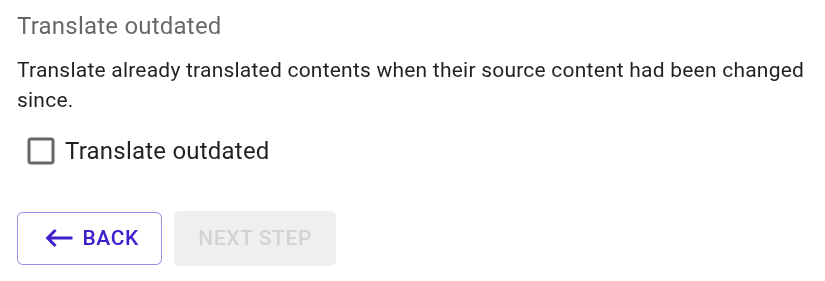
By default the Bulk Translation will only add translations for content that does not yet have a translation. If you want it to update translations that are outdated after the original text has been edited, you can enable the option Translate outdated in step 2 of the Bulk Translation dialogue:
Settings
By default, the Bulk Translation will translate the titles, description and SEO fields of an item. You can fine-tune the settings for the Bulk Translation at Machine Translations > Settings. In this section you will find the option to in- or exclude fields from the translation process. For more information please check our guide Machine Translation Settings.
Limitations
Please note that our Bulk translation feature does not cover the following sections. You can find guidance on translating each of them below:
- Third-party apps — translate these via Custom Content
- Metafields or Metaobjects — see Metafield Translations/Metaobject Translations
- Collection filters — see Collection Filter Translations
- Anything under langify's General section — this covers your store's general SEO title and description, as well as legal policies (see Where can I translate my store policies?) and payment/shipping details (see Checkout Translations)
These two are often left untranslated by choice, but can be translated if needed:
- Product tags or vendors — translate these in the Product section, see Product Translations
- Email Notifications — for common languages Shopify provides default translations. Otherwise see Notification Translations