
If your store is redirecting to a blank page with the URL "https://false/?redirect=true", this article explains why it happens and how to fix it.
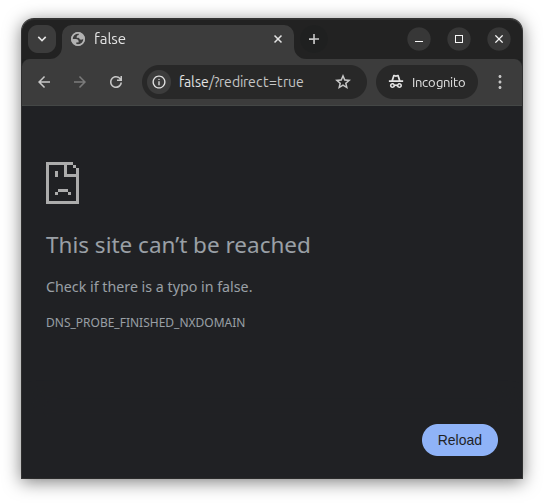
This error occurs when langify tries to redirect a visitor to a language for which the domain information is missing or incorrectly configured.
Quick Fix
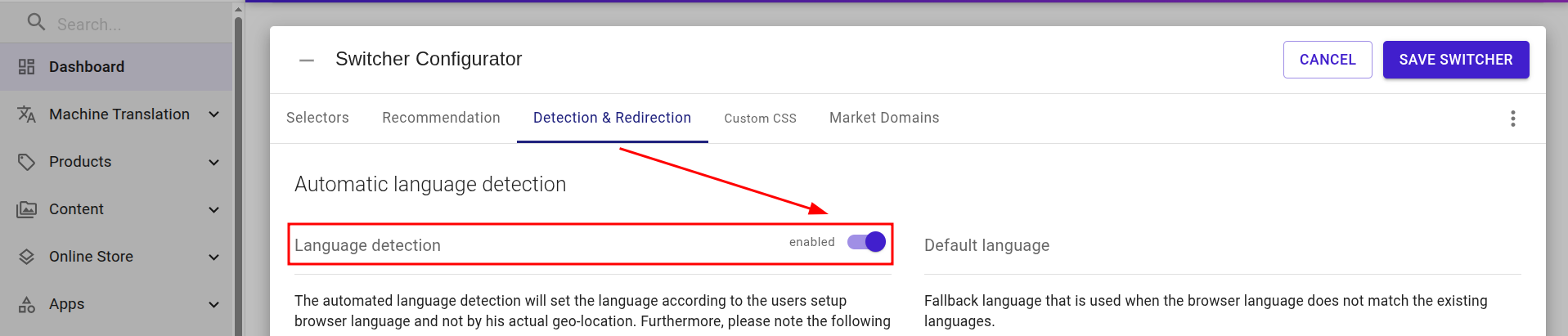
To stop the error immediately, disable langify's Automatic Language Detection at langify > Dashboard > Switcher Configurator > Detection & Redirection
Resolving the Root Cause
To resolve the root cause, review your language setup in the langify Switcher Configurator:
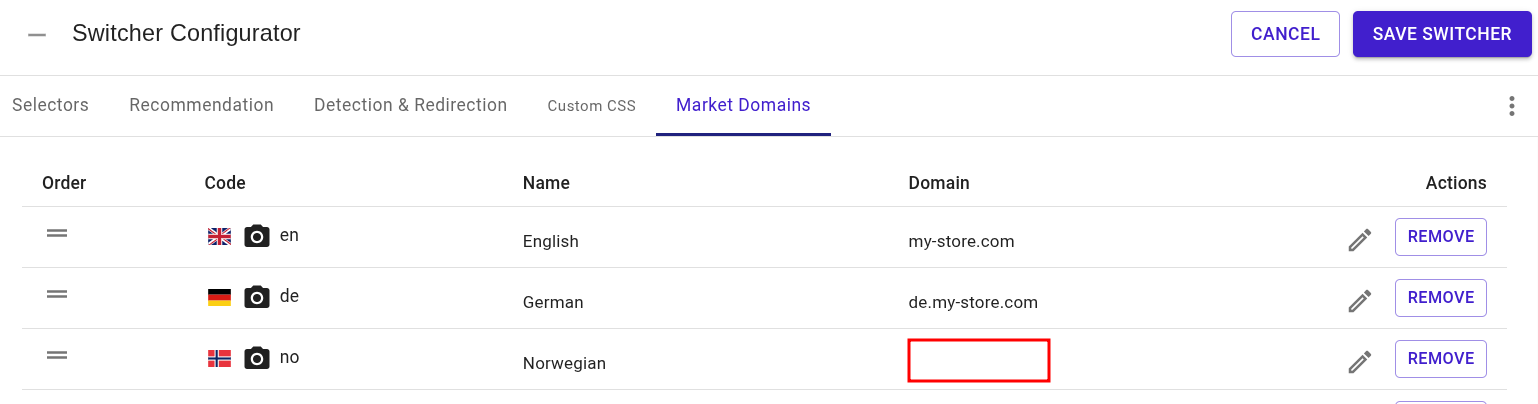
- Go to langify > Dashboard > Switcher Configurator > Market Domains.
- Check each language listed and verify that the correct domain is assigned to it. If a domain is incorrect or missing, like in the example image below, add a domain.
- Save your changes and re-enable Automatic Language Detection if you had disabled it as a quick fix.
If the issue persists after checking your domain settings, please reach out to our support team at support@langify-app.com and we'll be happy to help.