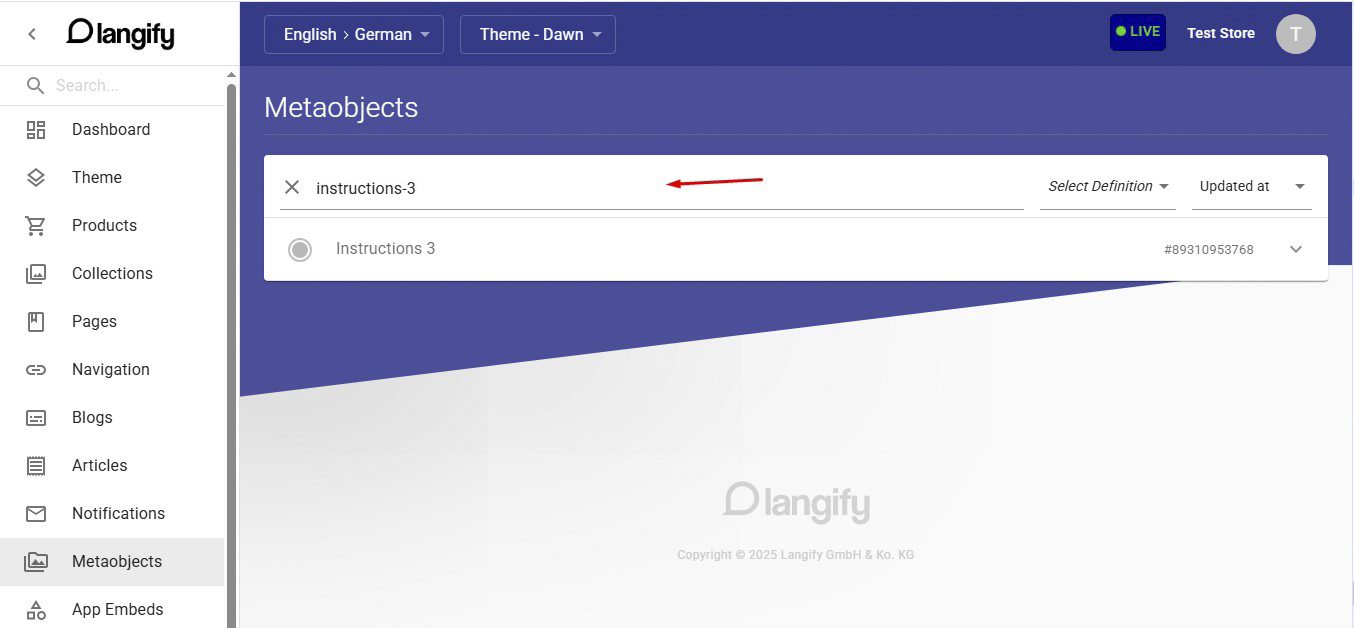
Metaobjects created in Shopify are supported by langify for direct translation. They can be accessed from the “Metaobjects” section in the langify sidebar. However, this section does not indicate which product a particular metaobject is linked to.
While the internal search bar lets you filter metaobjects by their display name, ID or handle, locating one according to its relevant product — especially helpful when dealing with a large number of metaobjects — requires a few additional steps, as outlined below.
Step 1 - Open the Relevant Product
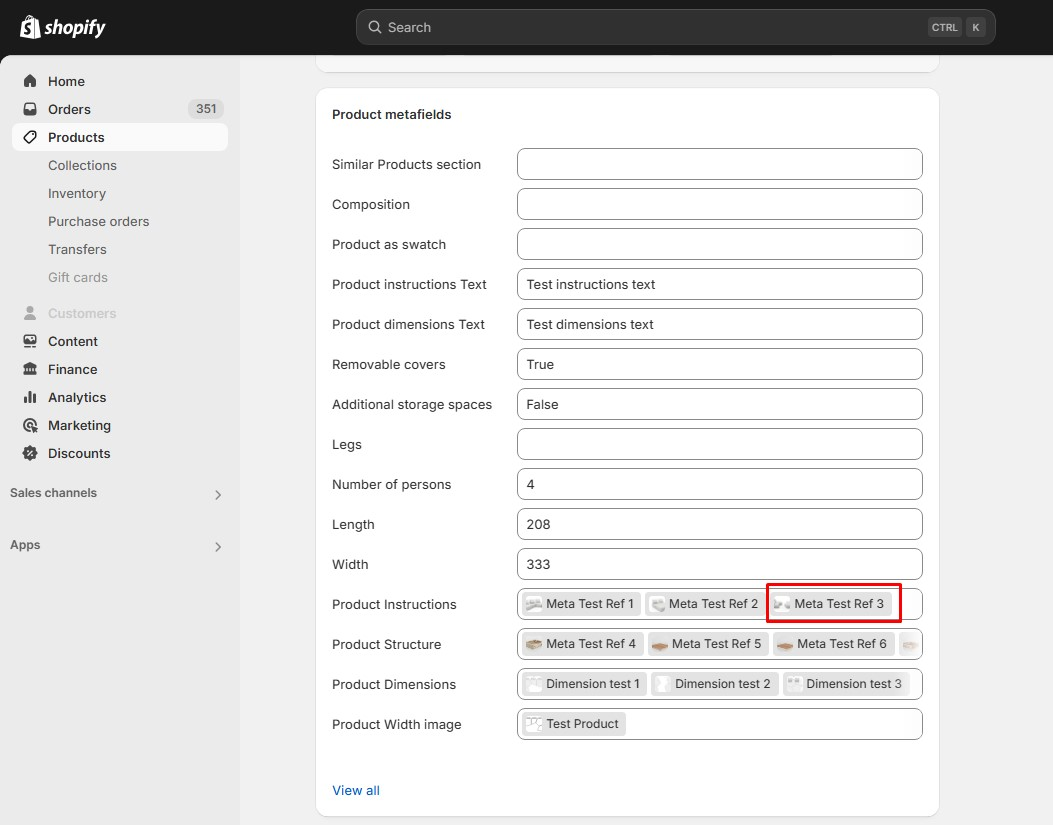
Start by opening the relevant product in Shopify. Click on the metaobject reference that contains the element you’d like to translate, as seen in the following example:
Step 2 - Select the Metaobject
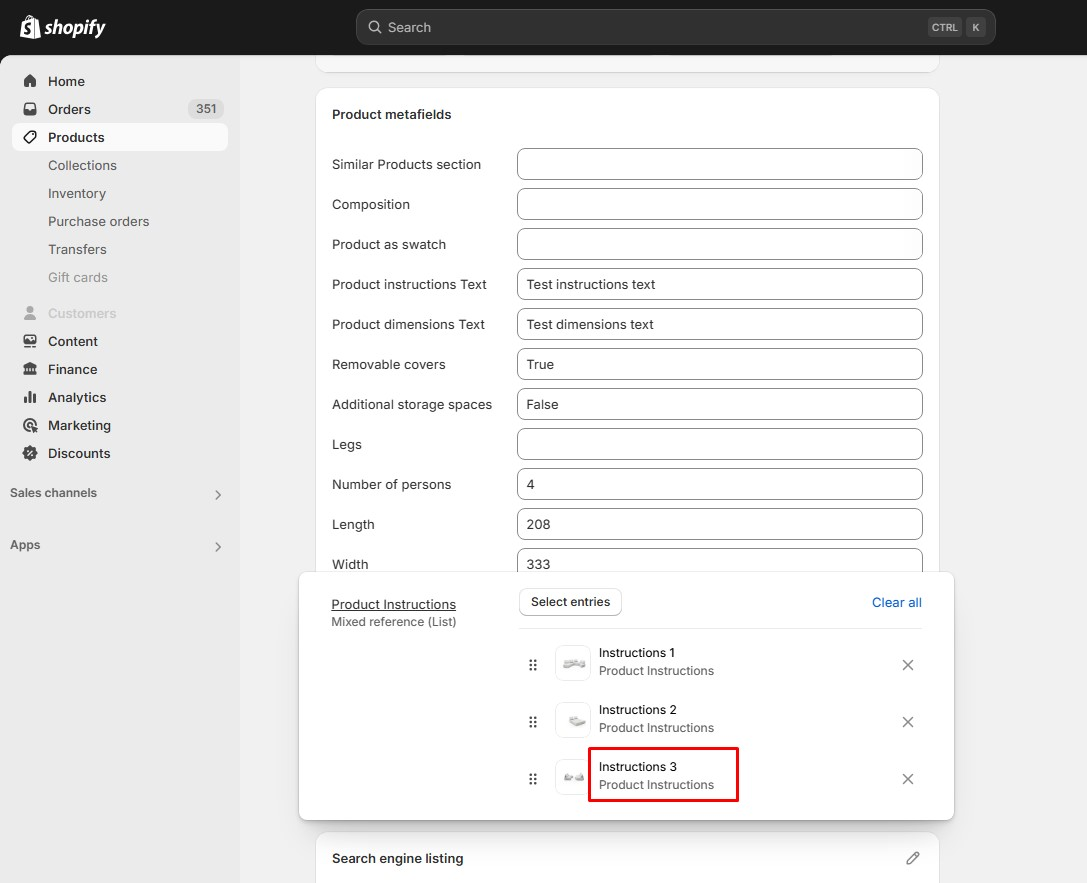
You’ll then see a list of all metaobjects tied to that reference. Click on the one you’re looking to translate in langify.
Step 3 - Locate the Handle
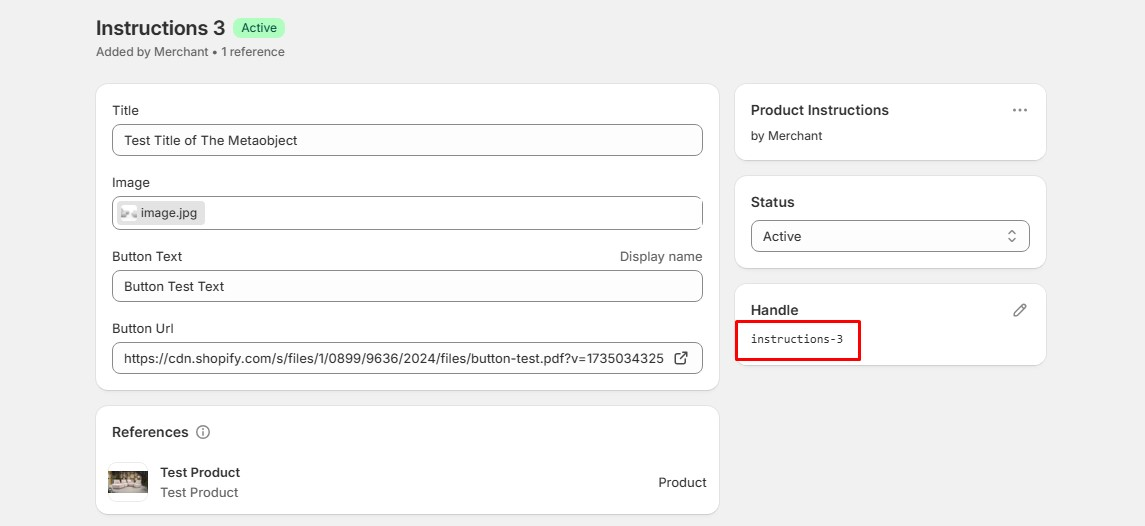
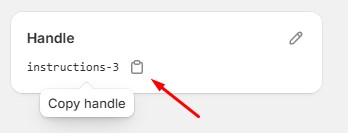
After clicking, a panel will open, showing all the properties of the selected metaobject. On the right side, you’ll find a section displaying the metaobject handle.
Step 4 - Copy the Handle
Hover your cursor over the handle to reveal a copy button. Click it to copy the handle name to your clipboard.
Step 5 - Search in langify
Head back to the Metaobjects section in langify and paste the handle into the search bar. This will bring up the exact metaobject, allowing you to access its translation settings.