
langify can be published directly within the Embedded Apps section of your Shopify Theme Customizer.
Publishing langify is important for the use of Custom Content and Image translations, and any of the features of the Switcher Configurator and Theme Settings tab on the dashboard — for example: the language switcher or the language detection.
If you published langify to your theme prior to the 1st of February 2024 and want to update to the newer publishing method as embedded app, please see our guide Updating from the Old to the New Publishing Method.
How to Publish
Watch the video or read the instructions below to learn how to publish langify on your theme as embedded app.
Step 1 — Open the Theme Settings
On the langify dashboard open the Theme Settings tab. Click on the blue button Open Customize Theme Editor, which will direct you to the Embedded App section.

Alternatively, you can access the Theme Customizer in Shopify and navigate to the Embedded App section.
Step 2 — Enable langify
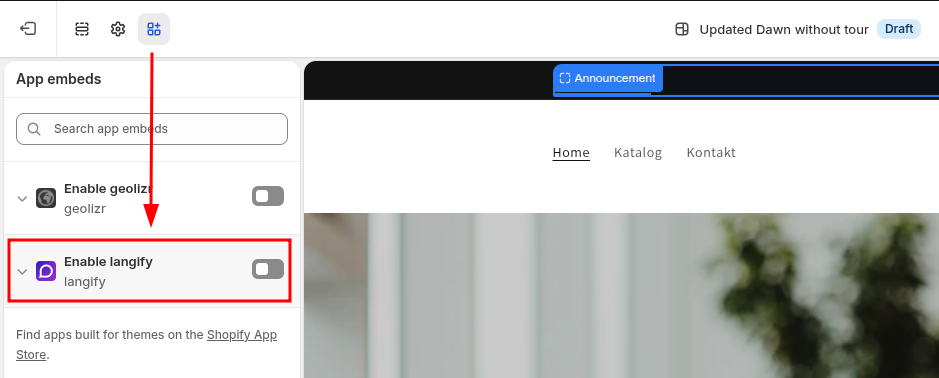
Once you're in the Theme Customizer, find langify in the App embeds section. The app block is listed under the name Enable langify:
Step 3 — Enter Your Theme ID
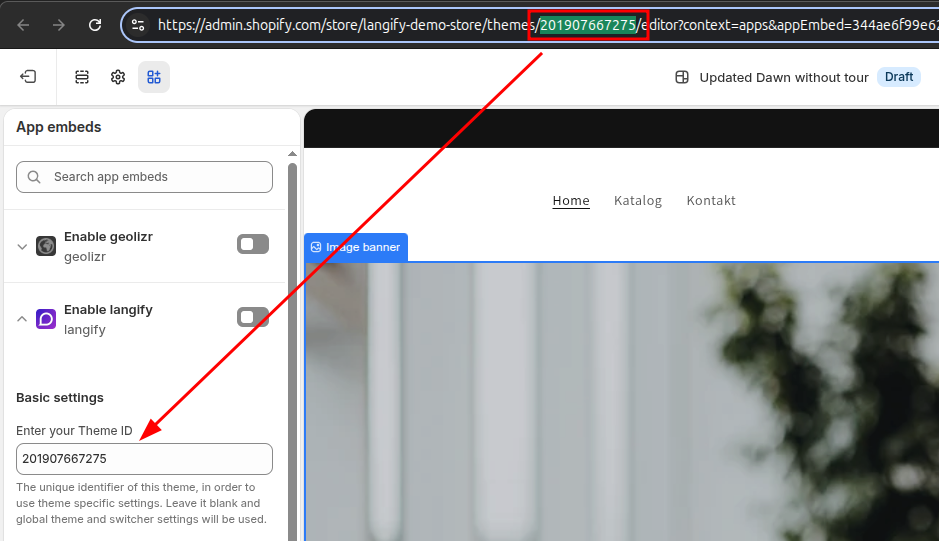
It is crucial to input the theme ID into the dedicated field. The theme ID can be copied from the Theme Settings in langify, or located within the URL of your Theme Customizer page. Note that each theme has its own unique ID.
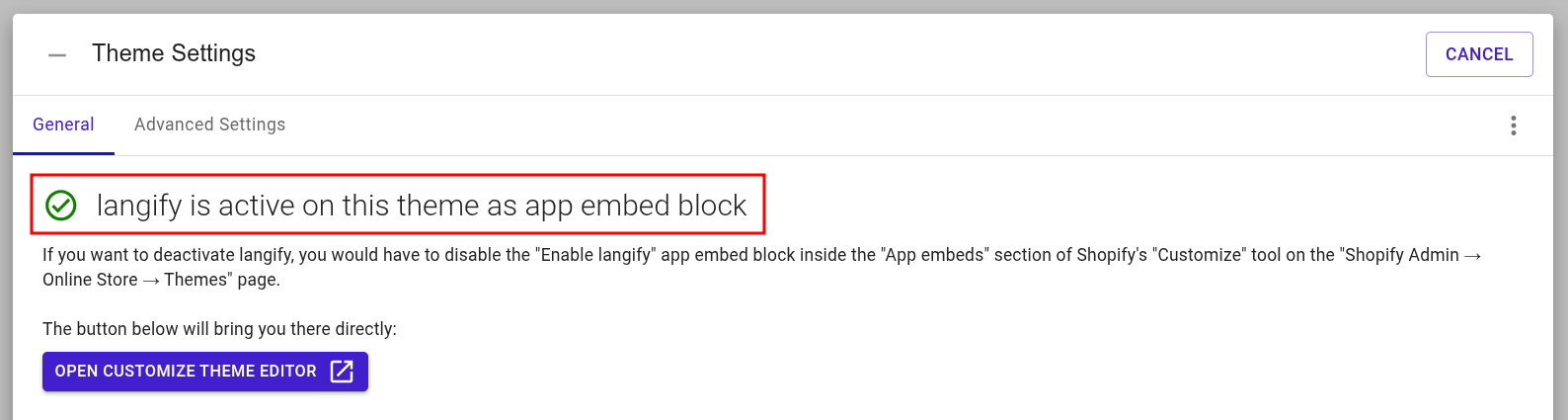
When you check in langify, the Theme Settings tab should now say langify is active on this theme as app embed block:
See also
- For more information about the additional settings that can be found within the langify embedded app block, please check our guide Embedded App Settings.
- If you're moving to a new theme, please check our guide on What needs to be migrated when switching to a new theme?