If links on your translated page should redirect the user back to the default language, then the reason could be that the theme or an app is using not-localized URLs in its code. You can reach out and check with the theme or app support about this - It might be possible that there is a newer version available that already correctly localizes your links.
If not, there are 2 approaches to fix this, depending on the source of the link.
1. Automatic Link Correction
Langify can automatically localize the URLs for you. You can enable this Automatic Link Correction when you go to the Theme Settings tab on the langify dashboard, and click on Advanced Settings:
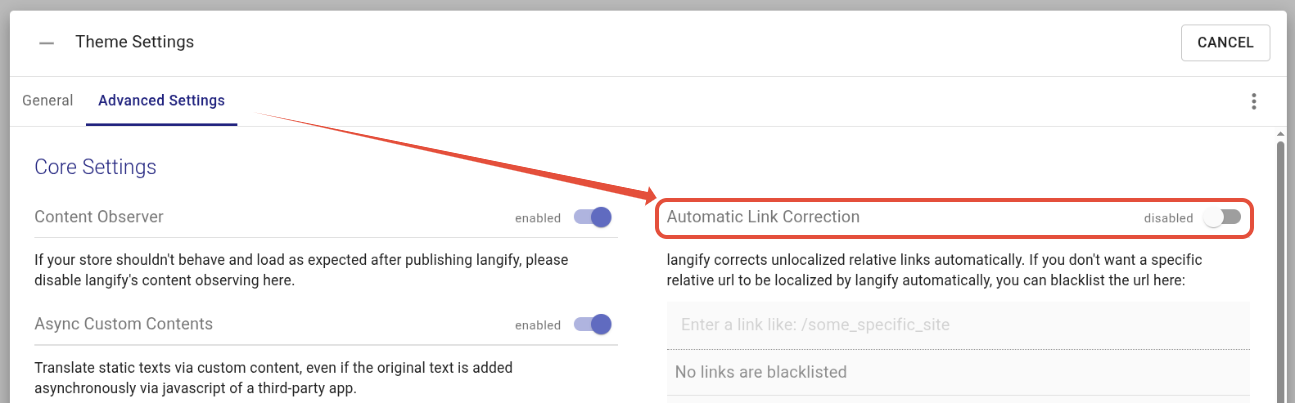
Make sure that langify is published correctly on your theme when using this option.
2. Shopify admin
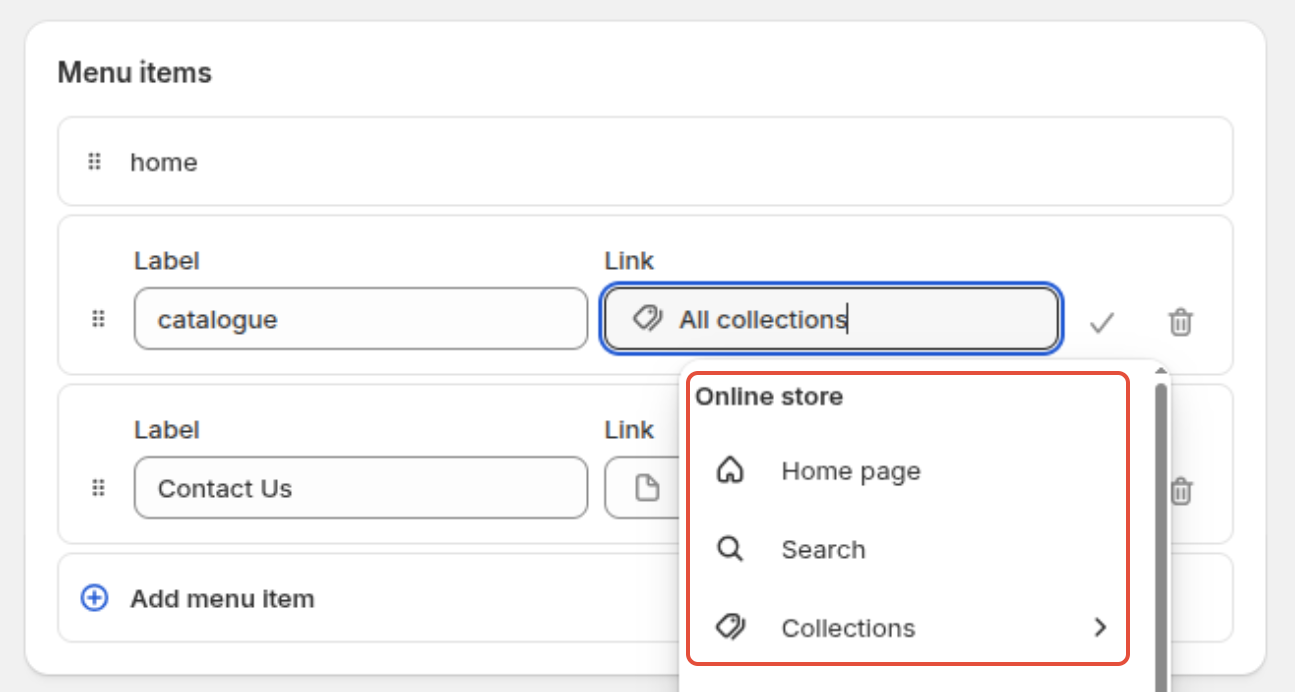
If you have added the links at Shopify > Content > Menus, make sure that you are using native Shopify objects instead of entering a direct link like "/collections/all".
When setting up a link in the Menus section, you can use the dropdown to select the desired page link. This makes sure that the URL is always localized no matter your language domain or subfolder: