
When enabling the domain feature, each of your languages will be available on their own domain.
This helps a lot with SEO and also allows you to share language specific urls like de.mystore.com, fr.mystore.com and mystore.com.
Step 1
First of all you have to add your language specific domains in the Domains section of your Shopify admin. Shopify has a documentation on how to do so here:
https://help.shopify.com/en/manual/domains/add-a-domain
Important: Please make sure that you disable the "Redirect all traffic to this domain" option for your primary domain.

Also make sure that the status of your domains is set to "OK".

Step 2
Navigate to the "Settings / Languages" section (http://langify-app.com/settings/languages) and click the name of your base language.

Step 3
Enter the domain for your base language without the leading http://.

Select the language code that matches your base language from the drop-down in the "Code" section and click "Save".

Step 5
Repeat step 2, 3 and 4 for your other languages.
Step 6
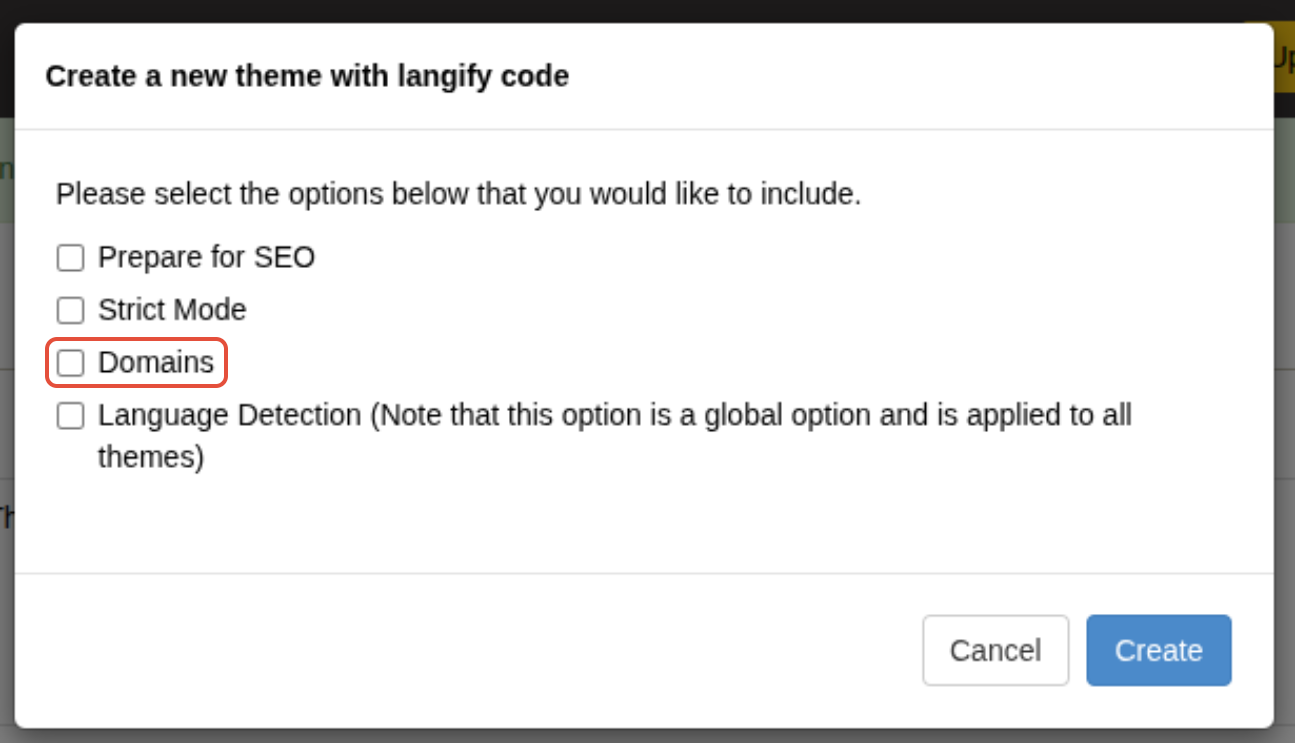
To enable the Domain feature, please make sure to enable this option when you publish langify to your theme:
Troubleshooting
We hope this tutorial was of use. If you are still struggling with your translations or have encountered any problems, which haven't been discussed here feel free to contact us.