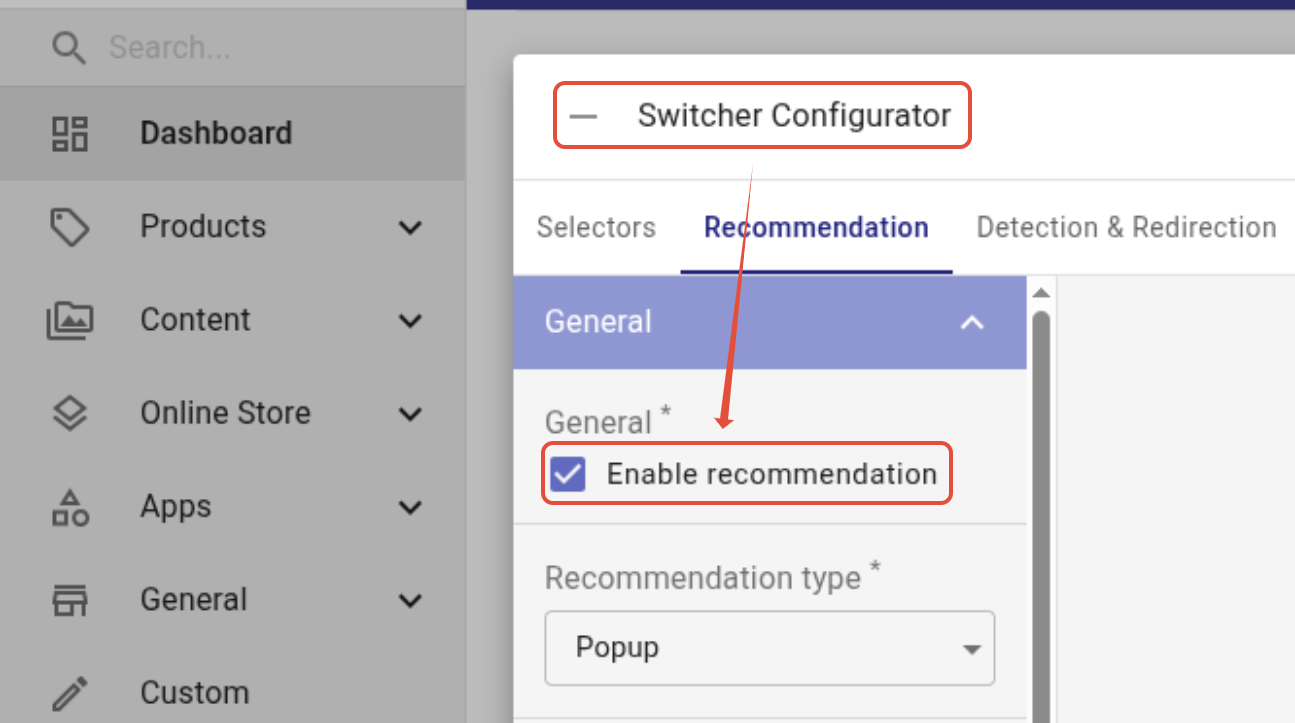
You can choose either the language detection or the language recommendation feature in langify. They cannot both be enabled at the same time.
Please ensure that your store has hreflang tags enabled in the Shopify settings (enabled by default), or that your custom hreflang tags are set correctly. Both the language detection and recommendation depend on correct hreflang tags.
Language Detection
The Language Detection feature redirects visitors automatically based on their browser's language setting.
You can enable this in the langify dashboard by opening the Switcher Configurator tab and going to Detection & Redirection.
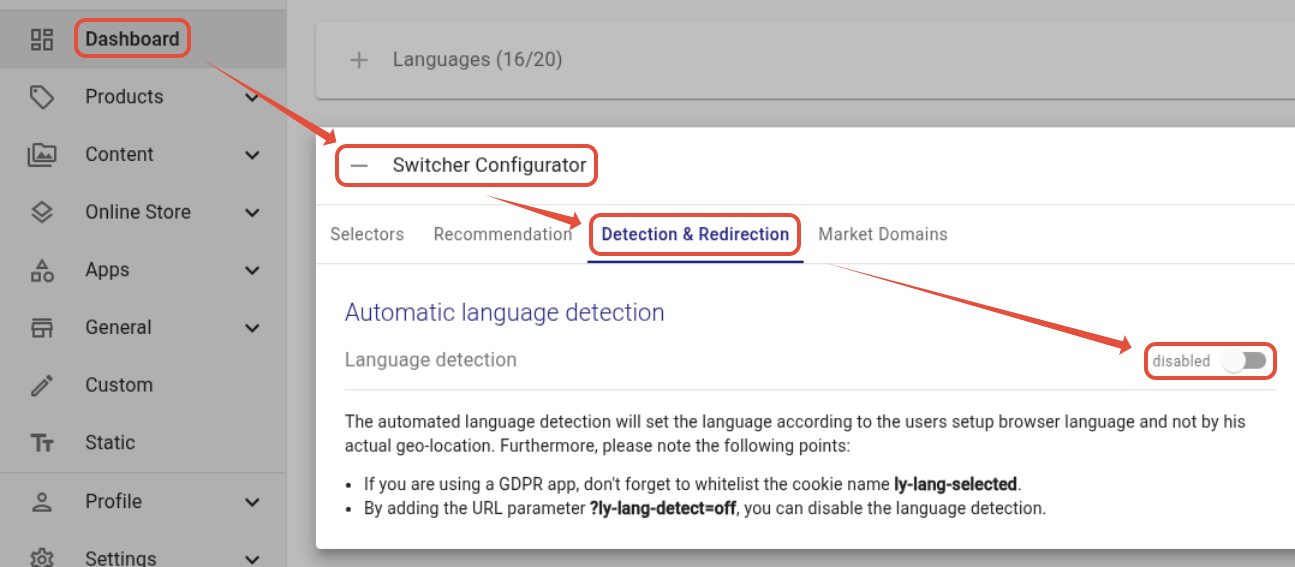
Important
- If you are using a GDPR app, don't forget to add the cookie ly-lang-selected to its essential cookies.
- If you're using any other redirection method — for example, Shopify's language detection or a third-party app — please disable langify's Automatic Language Detection to prevent conflicts or redirect loops.
If you need geo-location based redirects, we recommend geolizr, which gives you full control over redirects based on your visitors' country.
Language Recommendation
You can enable the Language Recommendation in the langify dashboard if you open the Switcher Configurator and go to the Recommendation tab.
When activated, this will display a banner or popup for visitors that shows their browser language as the first option. This informs them that their preferred language is available and can quickly select it.
The recommendation banner is especially useful for regions where an automatic redirect is not allowed.